

07-17-2026, 08:38 PM
Hi Mike,
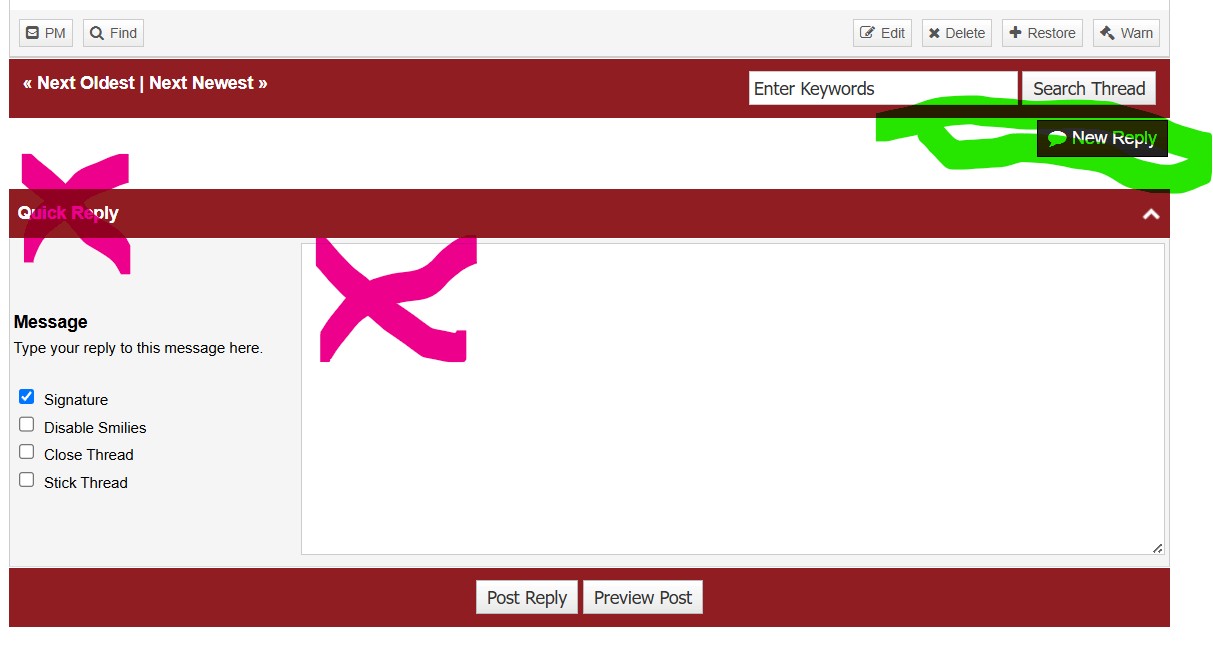
Yes, you can post a JPG to an entry in your thread. To do so, the black "Reply" button in the thread that you started. Do not click Quivck Reply or you will not have the option to add files.
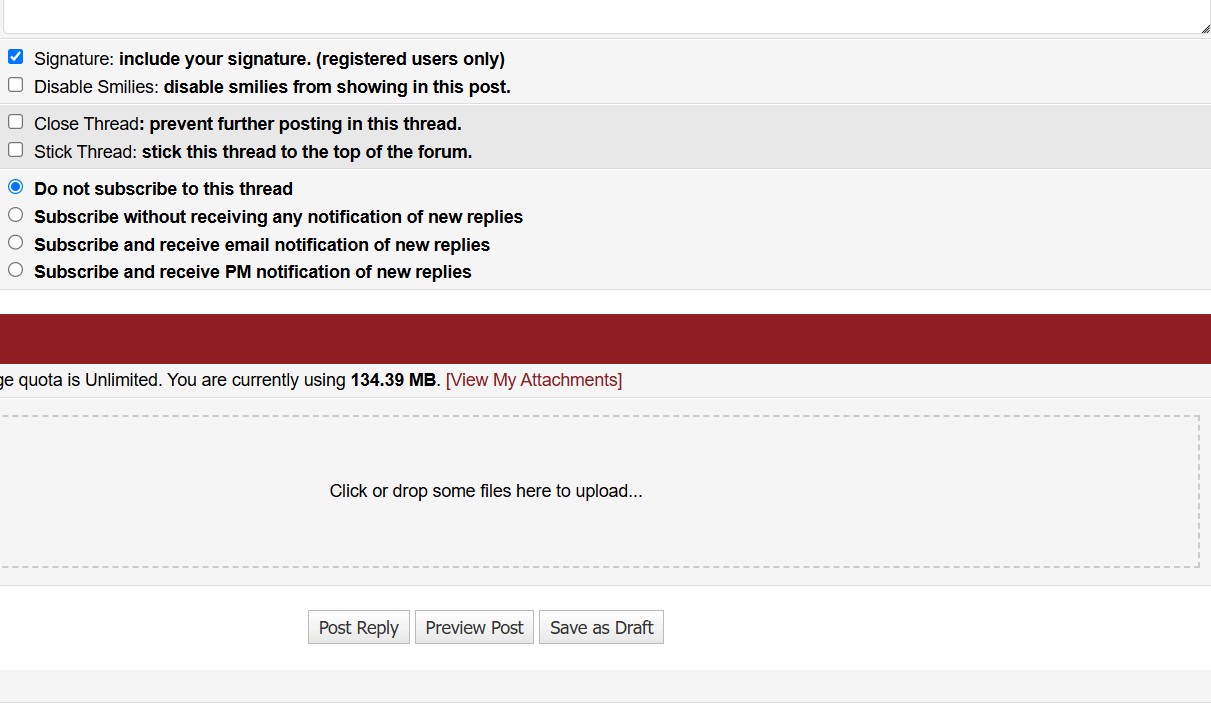
Scroll down. Note the field that states drag and drop files here.
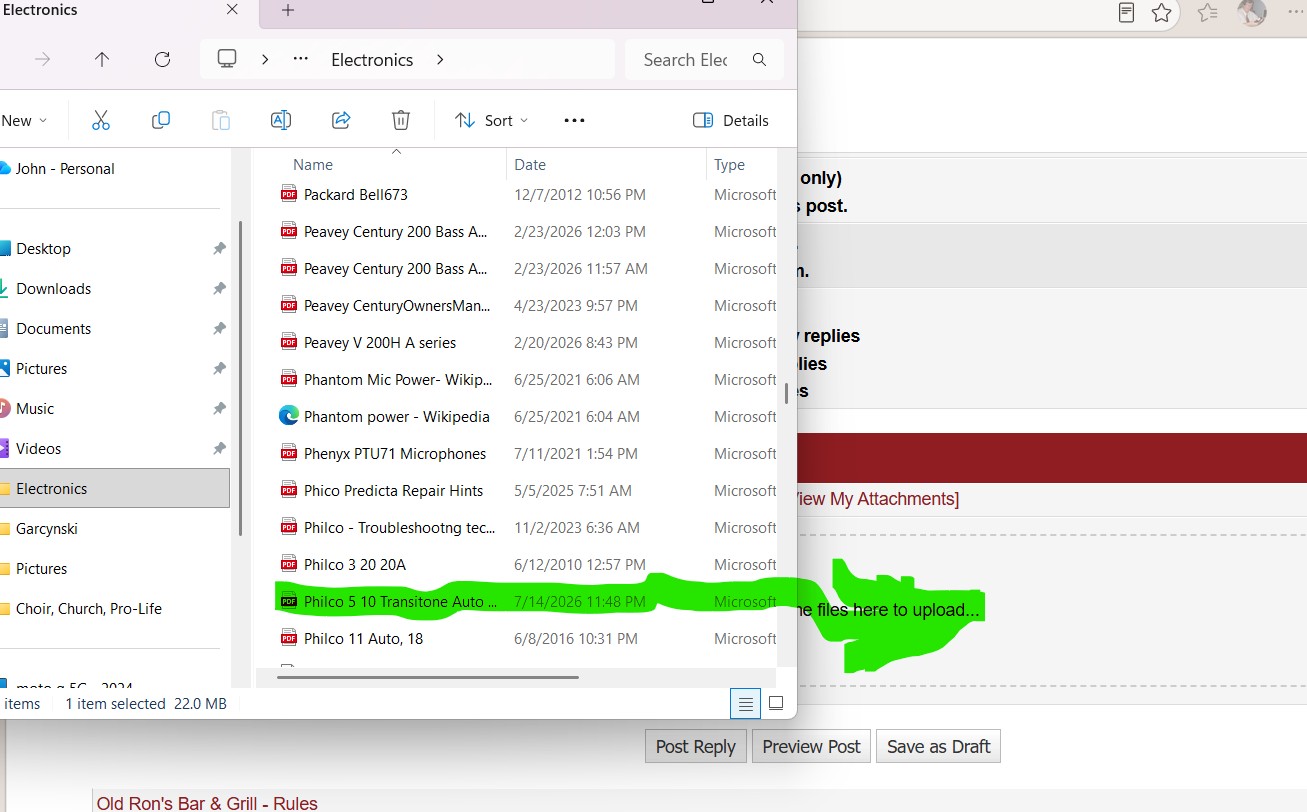
Open your file explorer and find the desired file, JPEG (Photo). Click on that file and "Drag" the file into the "Drop some files here... area.
 The file will appear in a field below.
Add your text, then cursor and click where in the text body you want the file, PDF or picture to appear. Scroll down and click the "Insert Into Post" button
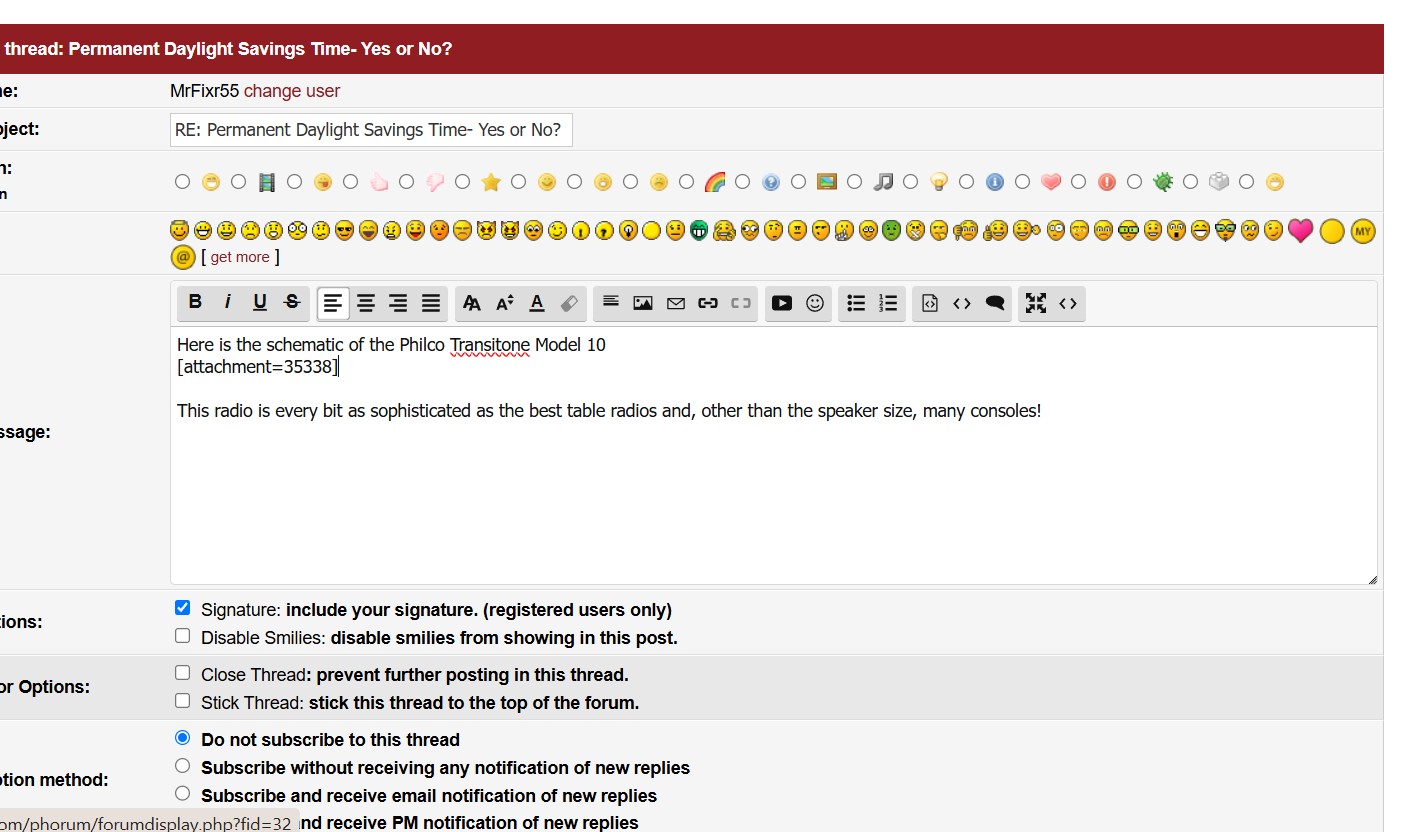
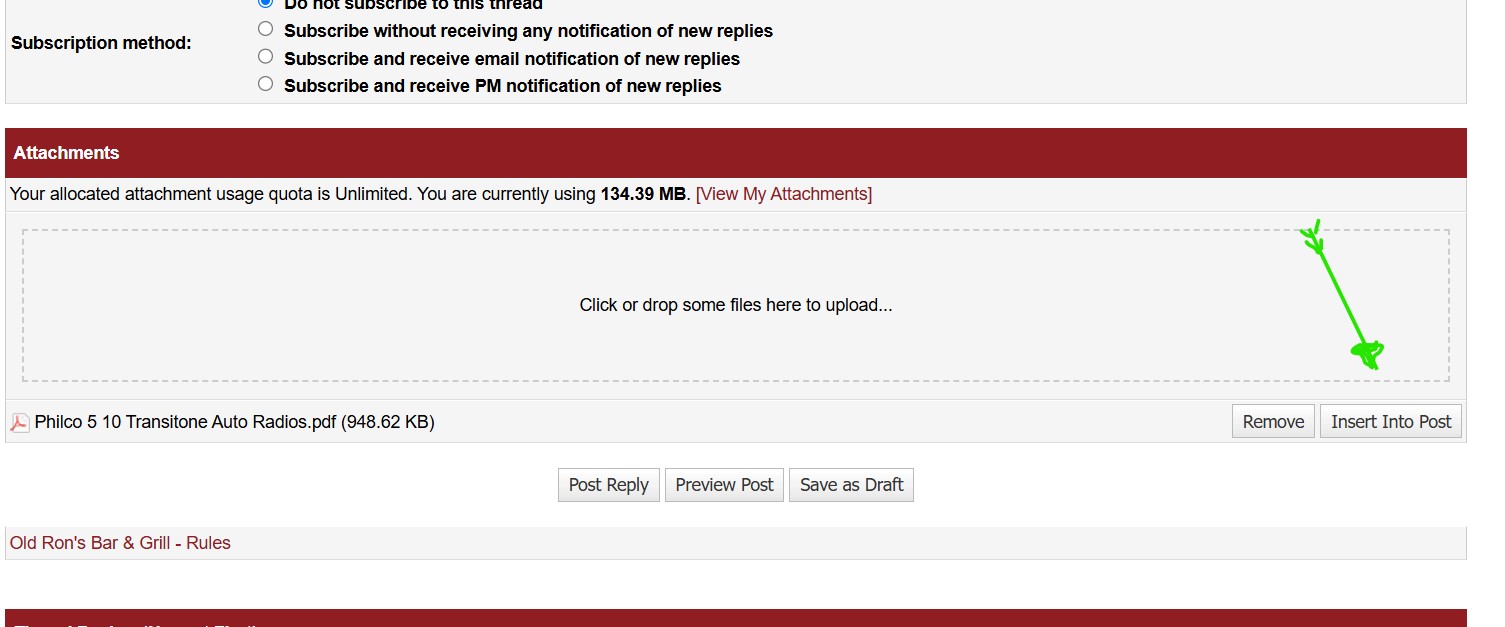
Either click "Preview Post" to review and ensure that the post looks like you desire it to or click "Post Reply".
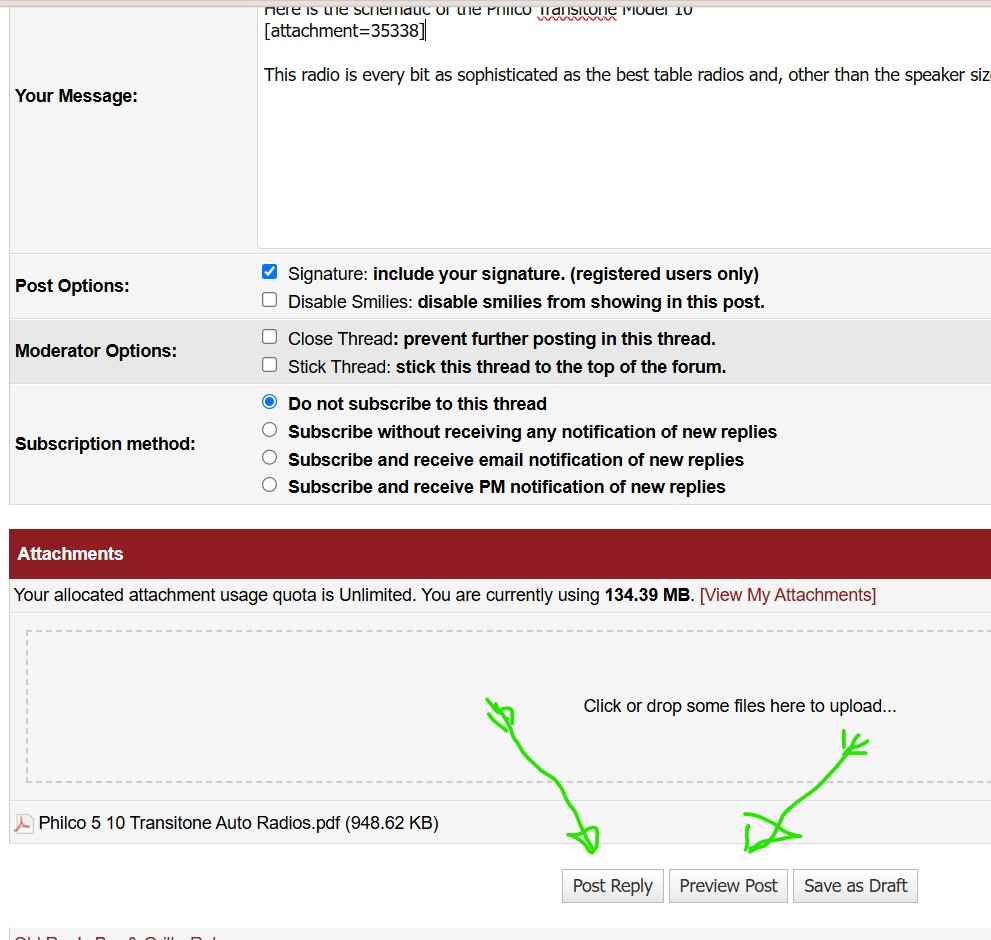
Hope this helps!
Yes, you can post a JPG to an entry in your thread. To do so, the black "Reply" button in the thread that you started. Do not click Quivck Reply or you will not have the option to add files.
Scroll down. Note the field that states drag and drop files here.
Open your file explorer and find the desired file, JPEG (Photo). Click on that file and "Drag" the file into the "Drop some files here... area.
Add your text, then cursor and click where in the text body you want the file, PDF or picture to appear. Scroll down and click the "Insert Into Post" button
Either click "Preview Post" to review and ensure that the post looks like you desire it to or click "Post Reply".
Hope this helps!
"Do Justly, love Mercy and walk humbly with your God"- Micah 6:8
"Let us begin to do good"- St. Francis
Best Regards,
MrFixr55
![[-]](https://philcoradio.com/phorum/images/bootbb/collapse.png "[-]")