Posts: 155
Threads: 25
Joined: Sep 2014
City: Folsom, CA
I believe this is the stock finish.
How did they go about doing the dark edges?
[Image:
http://i1289.photobucket.com/albums/b519...fwlcs4.jpg]
(This post was last modified: 04-29-2015, 11:28 AM by
Edisla.)
Posts: 765
Threads: 147
Joined: Aug 2012
City: Dallas, TX
You can use a marker of your choice of color like extra dark walnut or black from Mohawk, or just get a black magic marker and draw it in also , they all will accept being cleared coated over. Or mask the area off and tone it dark with spray can or air brush, but that's a lot more work. just use a marker with a steady hand

Posts: 155
Threads: 25
Joined: Sep 2014
City: Folsom, CA
Other than the thin lines on many of the edges on the head I am not sure what I should use.
The base is so worn out I can't tell if it is darker than the rest of the cabinet.
Thoughts on how I should tone this up???
Posts: 765
Threads: 147
Joined: Aug 2012
City: Dallas, TX
(07-27-2015, 10:17 PM)Edisla Wrote: Other than the thin lines on many of the edges on the head I am not sure what I should use.
The base is so worn out I can't tell if it is darker than the rest of the cabinet.
Thoughts on how I should tone this up???
There is a very good picture of a 41-180x ands looks to be factory finish in the gallery section, you can use that picture as a guide for your color choices

The base looks like extra dark walnut, there is photo finish on that set , and should not be messed with unless its screwed up, and redoing that is a different matter
Posts: 155
Threads: 25
Joined: Sep 2014
City: Folsom, CA
Hmm if that is really a stock finish.
I'll keep this in mind.
Any other thoughts?
Posts: 264
Threads: 51
Joined: Aug 2014
City: San Antonio, TX
I've been working on the same cabinet the past couple of weeks, and I've seen many examples with what looks like the same toner used on the sides, the base, and the top. Kind of a reddish brown (red mahogany?). Many of those look like the burled piece where the Philco decal goes and the photofinish are darker. Like this:
https://www.pinterest.com/pin/354588170632022363/
or this:
http://www.texasvintageaudio.com/clientcomments.html
Charlie in San Antonio
Posts: 264
Threads: 51
Joined: Aug 2014
City: San Antonio, TX
The marker trick works pretty well. What color would you call the rest of the cabinet? I have one I'm working on right now, and on mine, it looks a bit more reddish than that photo looks on my screen. Maybe I should take the cabinet out on the front drive before I commit to a tone.
Charlie in San Antonio
Posts: 155
Threads: 25
Joined: Sep 2014
City: Folsom, CA
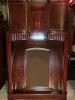
Well here is how it came out.
My attempt to recreate the photo finish wasn't to bad IMO.
[Image:
http://i1289.photobucket.com/albums/b519...hhp4bu.jpg]
Posts: 5,584
Threads: 291
Joined: Nov 2012
City: Wilsonville
State, Province, Country: OR
Posts: 155
Threads: 25
Joined: Sep 2014
City: Folsom, CA
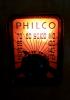
Don't care so much for this set of decals I have. The transparent part doesn't appear to hide as well as a set I got from a different seller.
Posts: 765
Threads: 147
Joined: Aug 2012
City: Dallas, TX
(09-08-2015, 05:08 PM)Edisla Wrote: Don't care so much for this set of decals I have. The transparent part doesn't appear to hide as well as a set I got from a different seller.
Did you apply decal before your few last coats of clear? If not there is a product called solfast, you can get it at a hobby shop most of the time. Any way you apply this clear liquid with a small modeling paint brush over the decal and it will get rid of the haziness of the decal and the edge that you see. It melts the decal into the surface without distorting the decal . Its widely used for models where the decal has to look like it was painted on getting into crevices and melting into depressions and rivets such as older airplanes and train cars .Use this only of you haven't cleared over the decal when refinishing. It will not hurt the clear coat. Always try to apply decal before your last two coats of clear coat and you would not have this problem.
(This post was last modified: 09-11-2015, 10:14 AM by
Fred Taylor.)
Posts: 155
Threads: 25
Joined: Sep 2014
City: Folsom, CA
Interesting I'll have to look into that.
I did apply decal before the last coats.
I'll check into solfast if I run into this on the next radio ;)
Posts: 765
Threads: 147
Joined: Aug 2012
City: Dallas, TX
(09-12-2015, 10:48 AM)Edisla Wrote: Interesting I'll have to look into that.
I did apply decal before the last coats.
I'll check into solfast if I run into this on the next radio ;)
The clear coat should have made the decal transparent on the clear portion of decal. I suspect moisture under decal making it a little cloudy. Make sure decal is dry before clear is sprayed on.
Posts: 155
Threads: 25
Joined: Sep 2014
City: Folsom, CA
 09-13-2015, 01:13 AM





![[-]](https://philcoradio.com/phorum/images/bootbb/collapse.png "[-]")


